Innamorati Studio COMPOSER
OFFICIAL RELEASE

Wedding album software · for wedding photographers

The wedding album composes itself.
You stay the photographer.

From the wedding folder to the album ready for printing: Composer chooses, develops the color from the negative, creates the layered PSD spreads and shows them to the bride and groom on their phone. Every decision remains yours.

Try Composer for 7 days →

7 day trial · All Studio features

✓ No paper✓ No renewal of the test

Create. Design. Amaze. · Powered by Innamorati Wedding Studio

What it does

One wedding, five steps, one afternoon

Composer follows the order you already work in. It doesn't change your craft: it removes the hours that aren't the craft.

  1. 3

    Selection

    From the wedding folder to a selection of photographs. You say how many photos you want and Composer suggests which ones to keep, spreading them across chapters and moments and looking for variety. It compares bursts and similar shots, assesses sharpness, motion blur and closed eyes, and reads the Lightroom flags. You review the proposal: your manual picks stay, and the corrections you confirm teach it your taste.

  2. 23

    Colour

    Give the photographs the color of your studio. You work on RAW groups and decide which photographs to apply adjustments to: a group or individual photos.

  3. 1

    Composition

    150 photographs laid out in one second with AutoAlbum. Composer distributes them in the spreads and prepares a proposal that you can immediately review. In Instant you also compose by hand; in Define correct the shots and ask for more graphics with the same photographs. Face detection helps limit cuts, while you maintain control over the outcome.

  4. 2

    Proof — album review with the couple

    Show the album to the couple and collect the revisions in the same project. From the phone they browse the spreads, indicate a point, leave a note and approve. Requests return to Composer, where you prepare and compare changes before applying them to the album.

  5. 4

    Print

    From the final spreads to the files for the laboratory, with less waiting. Composer prepares editable layered PSD in Photoshop and JPG in album format. In the comparison measured on the test album, the print JPG takes about 0.9 seconds per spread, versus about 14 seconds with Photoshop.

AI Selection

Before the album, the photo analyser

Open the wedding folder and press Analyse. Composer looks at every photo, one by one, and tells you which to keep and why. You correct, it learns.

  • Measures every photo: sharpness, motion blur, exposure, closed or half-closed eyes, faces and gazes.
  • Splits the day into chapters: getting ready, ceremony, outdoors, reception, in the real order, even if the outdoor session was shot the day after.
  • How many photos? A slider from Social to Gallery, Album, Real wedding: "Pick 150 photos" and they are picked.
  • Reads Lightroom flags: what you already rejected or picked stays as it is.
  • Filters for the dirty work: only the blurred, only the near-identical, only closed eyes, only the ones to bin.
  • Learns your taste from the corrections you make, only if you confirm it. The next wedding you work on is selected more the way you would.
  • Client choice: you send the couple a link, they tap the heart on the photos they want in print from their phone, and you find them here as golden hearts. The photos only pass through your studio's server and, after 60 days, are deleted on the first visit after that.

Client choice: see handing over the photos to the couple

The chosen photos go on to Color for development, to the Publisher for social media and to Composer for the album, without redoing the selection.

Handing over the photos to the couple

The day after, all the photos to the couple. No waiting.

With Composer you send the couple all the photos of the day as early as the day after, with a single link to open on their phone. They choose the photos they want and the colours they love; you find their choices back in Composer, ready for development and for the album.

How it works

  • All the photos, one link: no files to send one by one and no waiting. The couple see the whole day on their phone, with no app and no account.
  • They choose with a heart: they tap the heart on the photos they want in print and, if you like, they also tell you which colours they love.
  • They come back to Composer: their choices arrive as golden hearts and their colour is applied only if you decide, after a before and after.
  • Also to download: if you allow it, they download the hearted photos or prepare them for Instagram with the caption already written.
  • The photos stay yours: they only pass through your studio's server and, after 60 days, they are deleted on the next visit.

The couple's page, a pleasure to browse

A cover with their names, the date and the location, the photos divided into chapters and, on a computer, a viewer that compares 1, 2, 4 or 9 side by side. On a phone, a double tap adds a heart. They can tell you which colours they love, from five styles each with an example, and, if you allow it, they download the photos and prepare them for Instagram with the caption ready.

The second round, and the couple's heart stays theirs

Send the page to the couple again as many times as you need: the new link opens with the hearts already on, and the photos you suggest carry the “Proposed by the studio” mark. The golden heart is their choice: Composer never changes it on its own, and you can only exclude one of the couple's picks and restore it whenever you like.

FROM THE ALBUM TO THE APPROVAL

You tell the story.
Composer brings it to life.

Two ways to create your album: compose it yourself with Instant, or let AutoAlbum build it for you. Either way, you can refine the spreads and collect the couple’s requests and approval with Proof.

INSTANT ALBUM

Compose your story.
One spread at a time.

Build your spreads by hand: choose your photographs, drag them onto the layout, and shape the story one page at a time.

Explore Instant Albums ↗
OR

Leave the first composition to Composer.
The story and the decisions remain yours.

AUTOALBUM

Take a coffee break.
Your album takes shape.

Choose a style and size, start AutoAlbum, and take a coffee break while Composer builds the spreads. Then review the layout, check the crops, and refine the story.

Explore AutoAlbum ↗

PROOF

From the couple’s requests
to revised spreads.

Remove or replace a photo, add more light, warm up a black-and-white image, or try a different layout. Proof helps you handle the couple’s requests, including more complex revisions, and turn them into changes you can review together.

  1. A note in the right place. The couple mark what they want changed on their phone.
  2. Three options to compare. Lights, positions or graphics: choose the solution.
  3. You give the final approval. You check the preview and apply the change only when you approve.
Explore Proof ↗

The available features depend on the package you choose.

In Define

Other layouts? Four seconds, zero space

A spread doesn't convince you: ask for other layouts and Composer composes them with the same photos, in memory, in real time. We timed a four-photo spread.

14layouts proposed
2,0 sto find them all
4,5 sto see them all drawn
0 byteson disk until you choose

Proposals live in memory: the new PSD is born only when you press "Use this spread". Ninety attempts at first, two hundred with "Search more". Times measured on 4 October 2026 on the test album; the picture shows the same window on a real album. How it works

Why Composer

Made by a photographer for photographers

Born in a studio that has shot weddings for years. Every rule inside is a day of work saved or a mistake that doesn't repeat.

Works without internet

No mandatory cloud, no waiting. Your photos never leave your computer unless you send them: to the couple, to the printer or to social media.

Real Photoshop and Lightroom

It doesn't imitate the programs you use: it drives them. Layered PSD spreads, development in XMP sidecars, Lightroom flags and colours read and respected.

Colour from the negative

From RAW to the final file with the chosen Look. To judge how it renders on paper you need a calibrated monitor, the lab's profile and a test print.

The couple approve from their phone

The viewing room is a link. Notes on points, approval spread by spread, requests that come back into the program ready to execute.

Three proposals for every request

When the couple asks for a change in the Proof, Composer prepares three proposals: three lights, three positions or three layouts. They pick one, you approve.

Composer Studio and Plug-ins: retouching

Rejuvenate for faces, Identité for the studio's colour. Models that run on your graphics card, without sending a face to anyone.

Instant and Publisher

A flash album for the next day, photos for Instagram and Facebook with the caption, the gallery on your site and Matrimonio.com, all from the same folder.

Speaks 23 languages

Program, guide and couple's room translated. Foreign couples read the spreads in their language.

An adviser on every page

A guided first start in four steps and a helper that explains what every button does. You don't need a course: you need a wedding.


Every module, one by one, with screenshots

Three ways to talk about marriage

Reportage, Innamorati or Wedding Magazine

The same photographs, three ways of building the story: the grids of Reportage, the blended compositions of Innamorati, the editorial approach of Wedding Magazine. Choose the style before generating. You can create another version of the same wedding, changing the style or format and saving it in a separate folder, without overwriting the previous album.

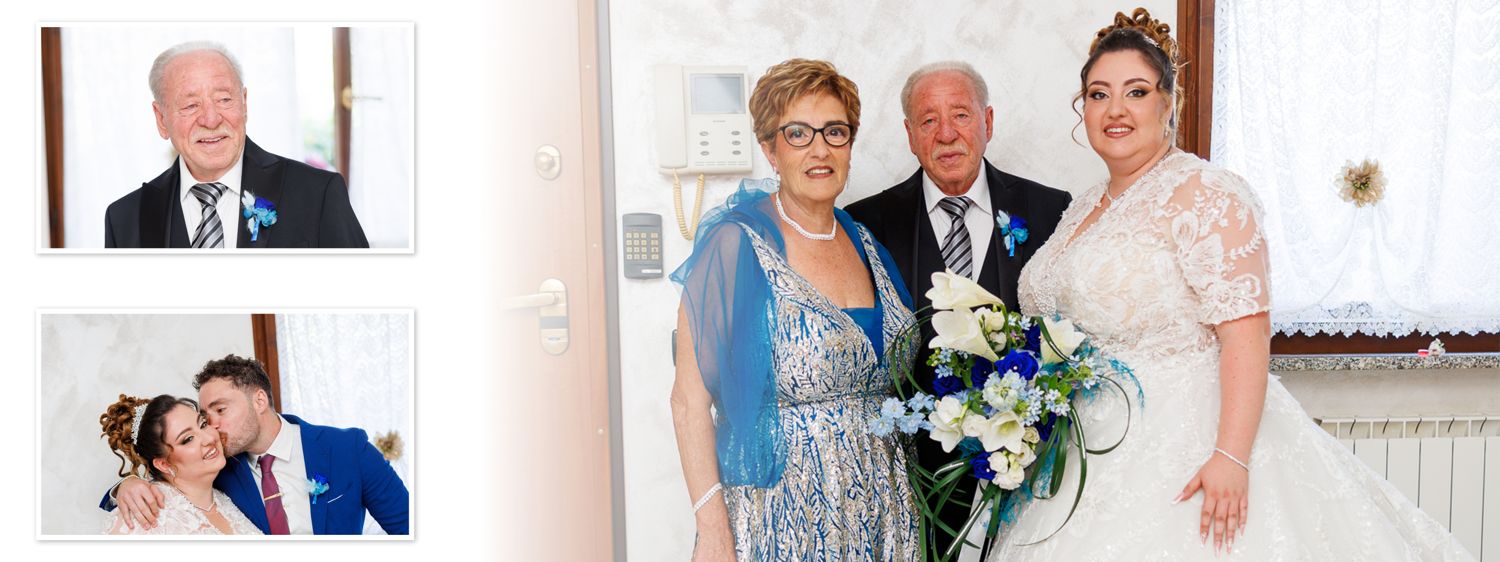
Reportage style wedding album spread: three photos in clear boxes on a white background
Reportage

Clean, in order of time

Crisp grids alternating large and small groups, photos in the order of the day. No blending: a reportage album must stay clean.

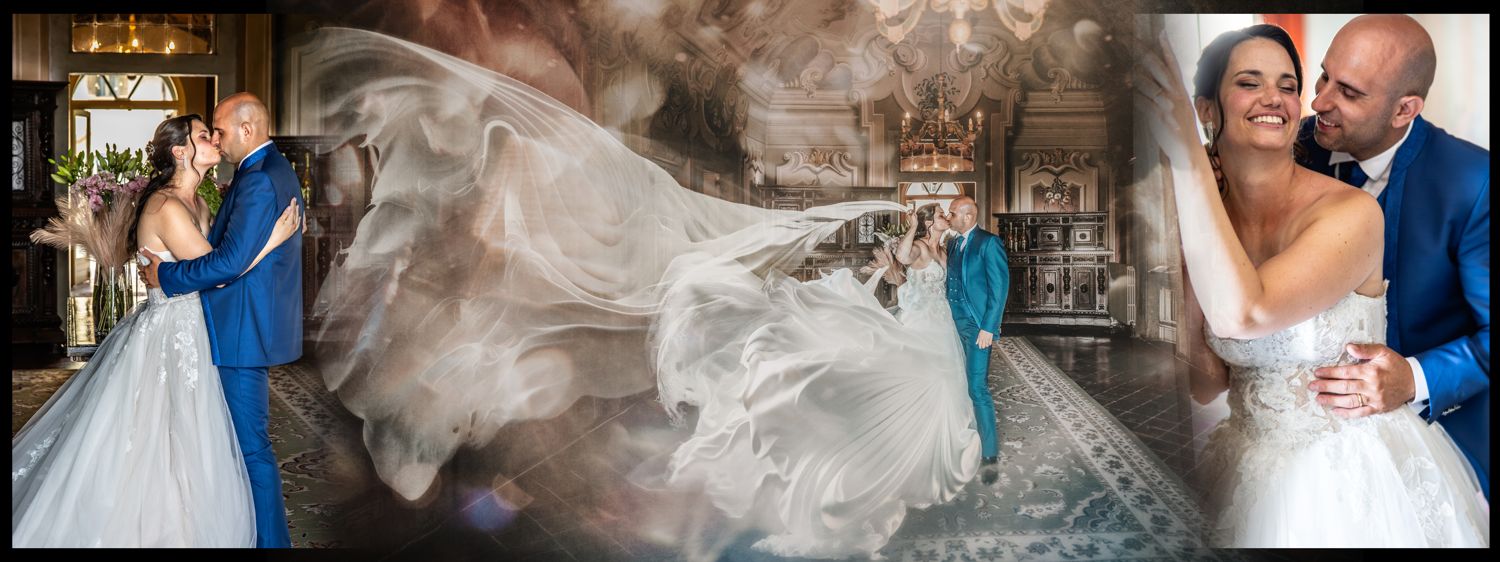
Wedding album spread in the Innamorati blended style: the couple's photos blend into one another
Innamorati (blended)

Photos that melt into each other

A romantic layout with fades and blends between photos, in groups of three or four. Composer takes the detected faces into account; you can check the crops and move the Smart Objects.

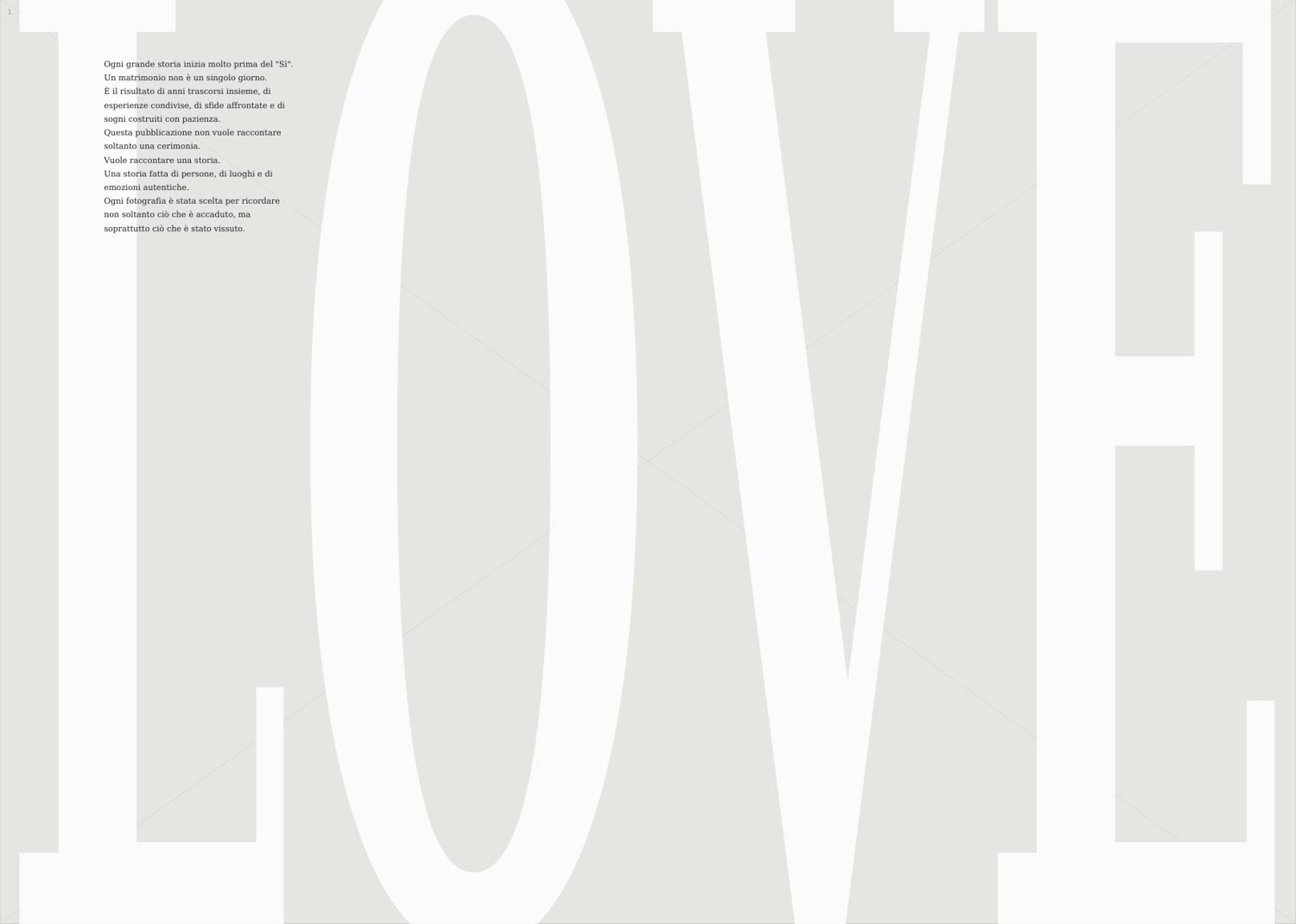
Editorial spread of Wedding Magazine by Composer with the word LOVE and text
Wedding Magazine

An editorial, not an album

Seventy spreads with texts to adapt to the venue, in four steps. Face detection guides the framing, which you can check before exporting, single pages included.

Ten formats in three families, Portrait, Square and Panorama, from 30×40 to 30×80, always at 300 DPI. See the formats

What's new

More time to shoot, less time waiting

What's new in Composer, explained for wedding photographers. It arrives with the updates, included in your subscription.

It works while you do something else

Analysis, photos for the couple, uploads, exports and format preparation all go into a single Job queue, always at the bottom of the sidebar: you can start more than one, even on different weddings, and carry on in the meantime. How many jobs run at once adapts to your computer. If Composer closes, the background worker keeps the queued jobs going.

Color: your style on all the picks

In Color, “Apply style to all” brings your style to every picked photo in one move, and “Save all the picks” writes it. If the couple have told you which colours they love, you see “The couple prefers” and, only if you decide so, you apply that style to the picks after a before and after; “Back to the previous colours” puts everything back as it was.

Credits and mentions, beyond weddings too

The first time you press Analyse, choose Wedding or Other shoot: christenings, events and portraits work with a single chapter. One record collects the date, the location and the Instagram profiles of the couple and of the suppliers: that is where the header of the couple's page, the gallery credits and the Instagram caption with the right tags come from. Suppliers indicated by the couple go out only after your confirmation, and clients' phone numbers and emails never go out.

Your clients' photos on your own hosting

The couple's selection page, the Proof room and the gallery live on your website: the photos stay on space that is yours. “Connect your server…” guides you in three steps: the address, your hosting access and a check of the encrypted connection (FTPS). Then Composer puts its files in place and creates the studio key by itself. No hosting yet? It explains what to ask for.

Rejuvenate: many photos, a retouch for each

Open several photos at once or drag in a folder: a strip under the viewer shows them all and each keeps its own retouch. “Save all” works in the Job queue while you carry on and always creates new files: the copy goes next to the original photo (photo name + “-Rejuvenate”) and, for a photo imported from outside, Composer asks whether to put it on the Desktop or in the photo's folder. The original is never overwritten.

Free space, and nothing vanishes by surprise

“Free up space…” shows you how much the files Composer prepared for a job weigh and removes them whenever you like: if they are needed, they rebuild themselves. It also flags the originals the couple did not want, to move or delete always after a confirmation. In Settings, Cache, “Missing folders…” also has a “Not in Library” section: the weddings that are no longer in the Library or whose photo folder no longer exists. You tick more than one and set aside their rebuildable data (previews, thumbnails, proofs). Composer never deletes anything on its own: you can undo and, if you like, the data goes to the Recycle Bin or, if it does not fit, to an attic you can recover it from. The original photos are never touched.

Everything new, version by version

SUBSCRIPTION

Six plans, choose your Composer

The spreads you get are identical in every plan. What changes is how much of the work around the album you hand over to Composer. Price per seat, updates included, yearly or monthly.

FOR PAGINATION

Composer Album

From photographs to album spreads, in your own style.

250€ / year

Per station · VAT not applied (regime forfettario)

  • AutoAlbum and Instant
  • Three styles, ten sizes
  • PSD to levels and exports
See package ↗

FOR THE CHOICE OF PHOTOS

Composer AI Select

From selection to color and sharing.

200€ / year

Per station · VAT not applied (regime forfettario)

  • AI Selection and Color
  • Client choice
  • Publisher and Gallery
See package ↗

ALBUM, APPROVAL AND CHOICE

Composer Album + Proof + AI Select

The album and selection in the same workflow.

500€ / year

Per station · VAT not applied (regime forfettario)

  • All Composer Album + Proof
  • All Composer AI Select
  • From choice to delivery
See package ↗

Updates included in the subscription.

Compare all six packages ↗

Create your account and download Composer

Try it with your own photos.

Seven days of Composer Studio, with all functions active. No card and no trial renewal.

Create your account →
  1. 01

    Create the account and confirm the email.

    Your space for licenses, computers and subscription.

  2. 02

    Download and open Composer.

    You can find the download in your account. Work on your computer Windows.

  3. 03

    Request proof from the program.

    Confirm the request email: you receive the key and the seven days begin.

  4. Creating the account does not start the trial. One test per email address and per computer.

BEFORE YOU START

The answers
that are needed.

Let's talk about it if you have a doubt ↗
What happens at the end of the test?

The trial ends without charges and without automatic renewal. You can choose whether to subscribe. The PSD and JPG already created remain yours.

Does it work without internet?

Yes. Composer works without internet: it only needs to connect at least once every 30 days to renew the licence, and it does so by itself at startup. Spread designs already downloaded always respond.

What kinds of album does it make?

Three styles: Reportage with clean grids in chronological order, Innamorati blended with fusions between photos, and Wedding Magazine, an editorial of seventy spreads with texts. Ten formats from 30×40 to 30×80 cm, at 300 DPI.

What if I cancel the subscription?

Albums, PSDs and JPGs remain yours forever: they are normal files that open in Photoshop. The period already paid is used to the end.

How many languages is it available in?

Program, Guide and the couple's viewing room are translated into 23 languages: foreign couples read the spreads in their language, you work in yours.

Can the couple choose the photos themselves?

Yes, with Client choice in AI Selection, in the Composer AI Select, Album + Proof + Select and Studio plans: you send the couple a link and, from their phone, with no app or account, they tap the heart on the photos they want in print. Their hearts come back into Composer as golden hearts, which you review and import yourself. The photos only pass through your studio's server and, after 60 days, are deleted on the first visit after that.

What if I change computer?

The subscription is per workstation: from your account you free the old computer and activate the same key on the new one.